THE CAST-TO-CONCERT GUIDE
Choose your cast and sound. Your desk concert, step by step.
Choose Outstanding for a 15-second band performance with one, two or five portraits, or Original for six 10-second Soul and Hip-hop templates. Both include sound and use 10 credits. Original also has pet and single-group-photo options.
- By Tiny Desk AI
- Updated October 26, 2026
- 5-minute guide
What is the AI Tiny Desk meme?
The trend borrows the intimate office-concert setting associated with NPR’s Tiny Desk Concerts: packed bookshelves, a cluttered desk and a band close to the audience. In October 2026, creator-made parody edits cast unexpected people as the performers, including college football coaches. The contrast is the joke: a familiar desk, a completely unexpected band.
The coaches meme referenced Charlie Wilson’s June 2023 set and its closing performance of “Outstanding”. Your clip is a new generated concert, not NPR footage or a licensed recording of that performance. This site is independent of NPR, NPR Music and Tiny Desk Concerts.
From your cast to a desk concert
No microphone, performance recording or written prompt is needed. Choose your template family first, then follow its photo requirements. Your new interpretation can vary in faces, clothing, gestures and sound.
- Choose Outstanding for band-role casting, or Original for Soul or Hip-hop with solo, duo, pet and group options.
- Add the photos requested by your template. Duo uses two separate portraits, left then right. Outstanding Five uses five in band-role order; Original Group uses one group photo.
- Outstanding: choose 480p or 720p for vertical 15-second output. Original: choose vertical 9:16 or horizontal 16:9 for 10-second, 720p output. Confirm permission for every photo.
- Review the 10-credit cost, sign in when prompted and create. Check My Creations for progress and the finished download.
Original: six Soul and Hip-hop templates
Soul has a sung chorus and an acoustic-band feel; Hip-hop has a rap verse with a live-band feel. Select a thumbnail to change the scene, music style and photo requirements together. These templates create 10-second, 720p clips with sound in vertical 9:16 or horizontal 16:9.
Solo uses one adult portrait for one lead, not the whole band. Duo uses two distinct portraits, left then right. Pet uses one photo of your own pet. Group uses one group photo of consenting adults, not five separate uploads. Use JPG, PNG or WebP, up to 5 MB per photo and 10 MB across the active selection.
- Soul · Duo
- Soul · Solo
- Soul · Pet
- Hip-hop · Solo
- Hip-hop · Duo
- Hip-hop · Group
Outstanding: assign one, two or five identities
Solo repeats one identity across the band. Duo creates two distinct co-lead singers from two separate portraits. Five assigns five separate portraits to the lead, backing trio and sax.
For Duo, add the left singer first and the right singer second. For Five, follow this band order:
- Lead singer — Front and center at the mic
- Backing singer 1 — First voice in your backing trio
- Backing singer 2 — Second voice in your backing trio
- Backing singer 3 — Third voice in your backing trio
- Sax player — The solo nobody saw coming
Outstanding: one clear adult face per slot
Choose a sharp, evenly lit adult portrait, facing the camera with eyes visible. Leave a little room around the subject. Use one person per image and get their permission. A full-body photo or singing pose is not required.
For Outstanding, use JPG, PNG or WebP, up to 5 MB per portrait and 10 MB across the active cast. Avoid group photos in individual role slots, collages, heavy filters and hidden faces. Fill both Duo slots or all five band slots. Original Group instead accepts one group photo, as described above.
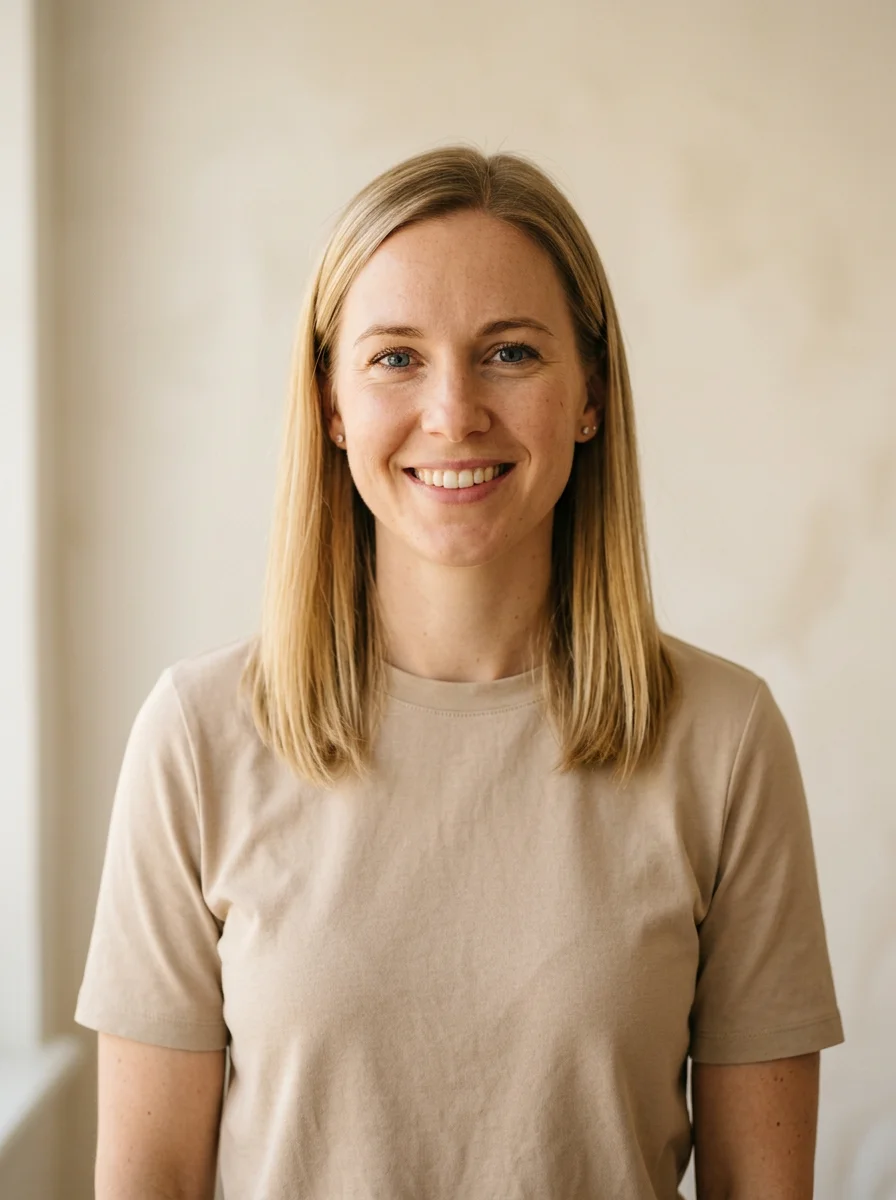
- Keep faces visible. Avoid sunglasses, masks and strong backlighting.
- For Five-person cast, use five different adults in five separate photos. Keep the role order.
- For Solo, use just one portrait. That face appears as the lead, backing trio and sax player.
- Use photos you own and get permission from every adult pictured. Do not upload minors or public figures.
Choose your concert quality
Outstanding creates 15 seconds in vertical 9:16 with sound, at 480p or 720p. Original creates 10 seconds at 720p with sound, in vertical 9:16 or horizontal 16:9. Every choice costs 10 credits.
These downloaded references show scene and movement, not results generated by this site or examples of guaranteed output quality. The band reference is about 15 seconds; the Duo reference is about 10 seconds. Your selected family determines the new video’s duration.
Shared concert reference
A downloaded band reference for Five and Solo.
Duo concert reference
A downloaded two-singer example: left and right co-leads share the desk.
Review the price, then create
Every template costs 10 credits. Review the displayed duration, framing and quality: Outstanding is 15 seconds, vertical, at 480p or 720p; Original is 10 seconds, 720p, vertical or horizontal. Check every active photo and permission before starting.
You can leave the page and check progress later in My Creations. Confirmed failed renders return their reserved credits automatically. If a request is pending or under review, check that request before making another: a new successful render uses another 10 credits.
| Pack | Price (USD) | Videos | Credits |
|---|---|---|---|
| 1 video | $9.99 | 1 | 10 |
| 3 videos | $19.90 | 3 | 30 |
| 5 videos | $29.90 | 5 | 50 |
Packs are billed once, with no subscription or automatic renewal. Purchased credits are valid for 180 days. Credit returns for a failed render are separate from cash refunds; see the refund policy for purchase refund terms.
View current packs and pricingIf your set needs another take
A clearer photo can improve the starting point, but it cannot guarantee a particular likeness, gesture or sound. Before spending credits on another attempt, review the current request and the checklist below.
| What you notice | What to try |
|---|---|
| Face or clothes look different | Use a sharper, evenly lit photo with fewer filters and a clearly visible face. Small details may still change. |
| Awkward faces or gestures | Try a clear, evenly lit photo without objects covering the face. Leave some room around each subject. |
| Someone is in the wrong role | Check the portrait order before creating: lead, three backing singers, then sax. Replace the photo in the corresponding slot. Do not upload a group photo as one role. |
| No finished download or a sound issue | Check My Creations for the request status. Try playing the downloaded file with sound enabled. If the issue persists, contact support with the request reference. |
Before your first encore
A few practical details before you cast your first desk concert.
Q1Do I need one, two or five photos?
Outstanding Solo repeats one portrait across the band; Duo uses two portraits; Five uses five in role order. Original Solo and Pet use one photo, Duo uses two, and Hip-hop Group uses one group photo.
Q2How long is the video, and how much does it cost?
Outstanding creates 15 seconds; Original creates 10 seconds. Both use 10 credits and include sound. One-time packs cost $9.99 for 1 concert, $19.90 for 3 or $29.90 for 5, in USD.
Q3Will the finished video match the reference exactly?
The references show a style, not a guaranteed result. Your concert is newly generated and can differ in faces, clothing, gestures, staging and sound.
Q4Can I use one group photo for five people?
Use Original · Hip-hop · Group for one group photo of consenting adults. Outstanding Five requires five separate adult portraits so you can assign each band role. Minors and public figures are not permitted.
Q5Where do I go if a generation fails?
Check the request in My Creations. Failed renders return their generation credits automatically. For a payment or an unresolved request, use the support contact in the footer and review the refund policy.
YOUR PHOTO / YOUR SET
Your turn at the mic
Bring one, two or five portraits. Take home a concert worth sharing.
Make my concert